 SupaFocus
How to Block Apps on iPhone
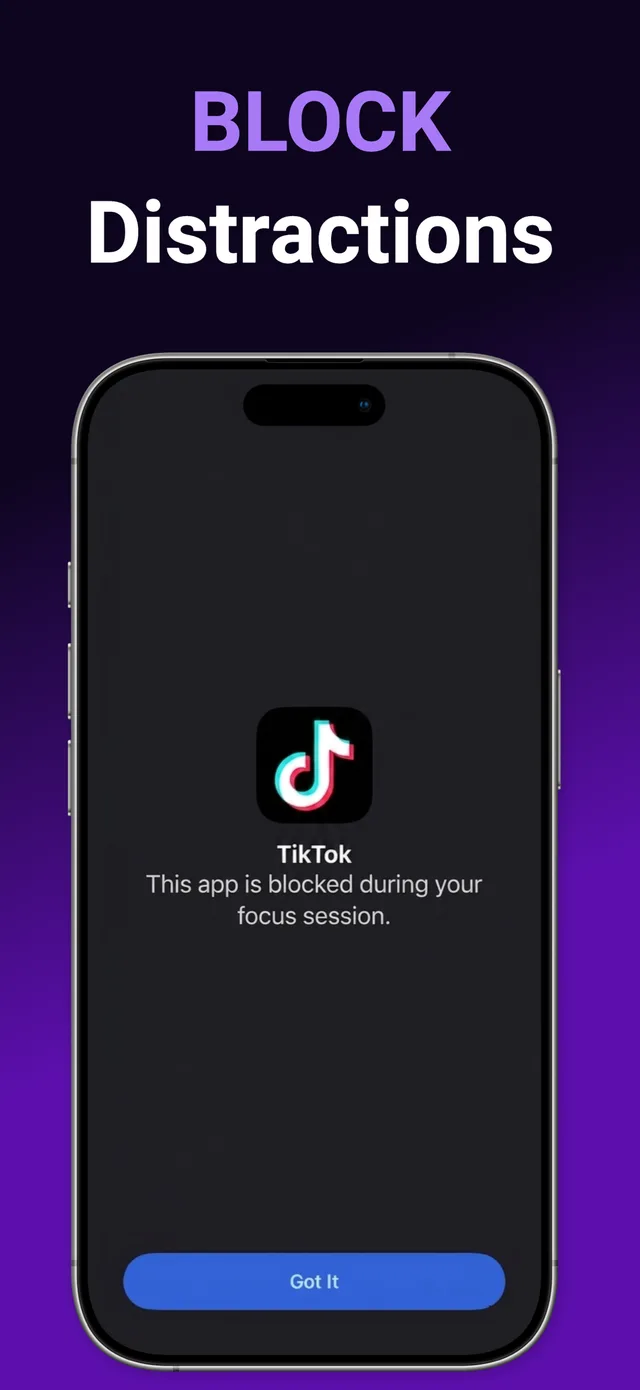
To block apps on iPhone, use an app blocker built on Apple's Screen Time API, such as SupaFocus. Grant Screen Time permission once, select the apps to block, and start a focus session or schedule — the apps are then blocked at the system level and show a block screen instead of opening.
Why blocking beats willpower
Deleting apps doesn't work — you reinstall them in 30 seconds. Grayscale mode and “mindfulness” reminders don't work either, because the app still opens. What works is friction: when Instagram physically won't open, your brain stops asking after a few days. That's why the most effective way to block apps on iPhone is a system-level blocker, not a habit tracker.
Your options for blocking apps on iOS
- Apple's built-in Screen Time limits — easy to set, but also easy to bypass: the “Ignore Limit” button is one tap away.
- Deleting apps — reversible in seconds, and you lose your accounts, drafts, and settings.
- A dedicated app blocker like SupaFocus — uses the same Screen Time API as Apple, but adds commitment levels so you can't talk yourself out of the block, plus schedules, daily limits, and progress tracking.
How to block apps on iPhone with SupaFocus
Download SupaFocus
Get SupaFocus free on the App Store and open it.
Grant Screen Time permission
A one-time iOS prompt lets SupaFocus block apps at the system level. Nothing leaves your device.
Select apps to block
Pick individual apps or whole categories — Social, Games, Entertainment — plus any websites.
Choose your lock level
Normal ends anytime; Time-Locked makes you wait; Math Challenge makes you earn it; Strict can't be ended at all.
Start your session
Blocked apps show a block screen until the timer ends, then unlock automatically.
Ready to try it?
SupaFocus is free on the App Store. Set up your first block in under a minute.
Download SupaFocus FreeFrequently asked questions
Can I block apps permanently on iPhone?
Yes — SupaFocus custom sessions run from 5 minutes up to 4 weeks, and recurring schedules re-apply blocks every day automatically.
Does blocking apps on iPhone require a jailbreak?
No. SupaFocus uses Apple's official Screen Time API, so blocking is fully supported by iOS — no jailbreak, no VPN, no profiles.
Can I still receive calls and messages while apps are blocked?
Yes. You choose exactly which apps are blocked; everything else, including calls and Messages, keeps working normally.