 SupaFocus
App Blocker for Studying: Study Without Your Phone Winning
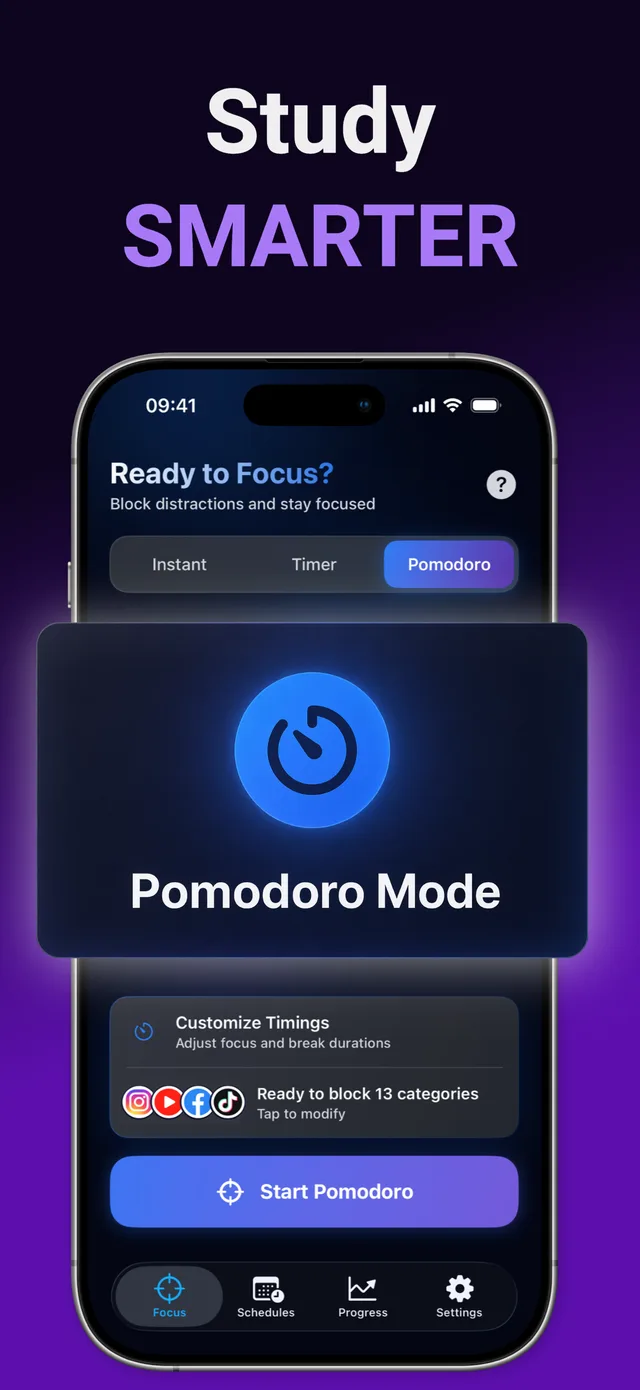
For studying, use an app blocker with a Pomodoro mode: SupaFocus blocks social media, games, and YouTube during 25-minute study sprints with automatic breaks, and its Strict mode prevents you from quitting early. A recurring Study Time schedule re-applies the block every day at your study hours.
Your phone is the #1 predictor of a bad study session
Research on attention residue shows that even a 30-second phone check costs several minutes of refocusing. Over a 3-hour study session, a dozen “quick checks” can erase an hour of effective work. The fix isn't discipline — it's making checks impossible while you study.
The student setup
- Pomodoro sessions — 25 minutes of blocked-phone studying, 5-minute breaks, repeat. The timer structures your effort; the block guarantees it.
- Study Time schedule — if you always study 7–10pm, schedule the block so it starts whether you feel motivated or not.
- Strict mode for exams week — when the stakes are high, make the session unbreakable.
- Streaks for consistency — a visible daily streak is surprisingly effective motivation across a semester.
How to set up SupaFocus for studying
Block your distraction stack
Select social apps, games, YouTube — and their websites.
Start a Pomodoro session
25 minutes focused, 5-minute break, automatically repeating. Custom timings available in Pro.
Schedule your study hours
Create a recurring Study Time schedule so blocking is automatic every day.
Track your focus hours
Watch weekly focus time and completion rate climb in the Progress tab — and keep your streak alive.
Ready to try it?
SupaFocus is free on the App Store. Set up your first block in under a minute.
Download SupaFocus FreeFrequently asked questions
How long should a study focus session be?
Start with the classic 25/5 Pomodoro. If you reliably hit flow, try 50/10. SupaFocus supports both standard and custom cycles.
Can I still use study apps and websites during a session?
Yes — you choose exactly what's blocked. Keep Notion, Anki, calculators and library sites available while feeds are silenced.
What if I need my phone for two-factor login while studying?
Blocking is per-app, so authenticators, Messages and Mail keep working unless you block them.